
Complete AV Hire Checklist for Corporate Events in Brisbane
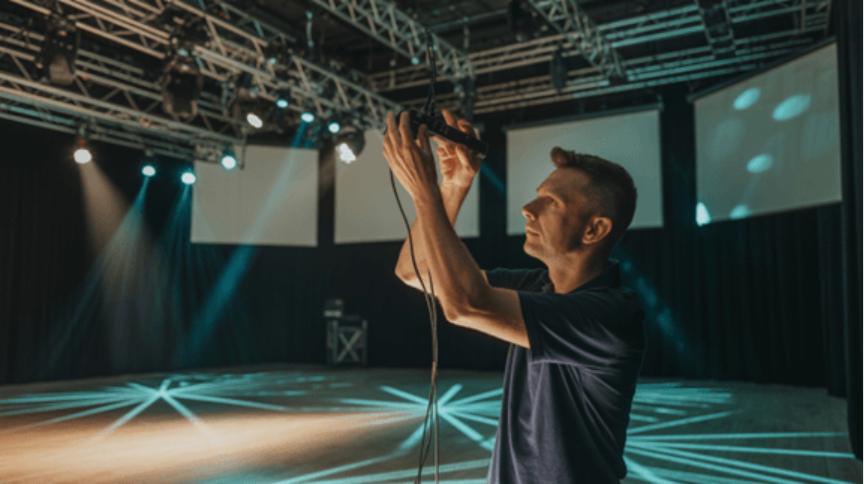
Organising a corporate event in a bustling hub like Brisbane requires meticulous planning and a deep understanding of technical requirements. Whether you are hosting a high-stakes board meeting in the CBD or a large-scale industry conference at the South Bank convention precinct, the quality of your technology can make or break the attendee experience. Professional equipment ensures your presentation remains polished and impactful from the very first opening slide until the final closing remarks are delivered.
Reliable technology ensures that your message is delivered clearly, your brand is represented professionally, and your audience remains engaged throughout the day. This guide provides an exhaustive checklist for professionals seeking audio visual hire Brisbane to ensure no technical detail is overlooked during the planning phase. By preparing early, you mitigate risks and guarantee that your technical infrastructure supports your specific communication goals without any unexpected interruptions or delays.
Understanding the Scope of Your Event
Before diving into specific equipment, it is vital to define the parameters of your function. Every venue has unique acoustic properties and lighting challenges that must be addressed individually. A boutique hotel room requires a different setup compared to an expansive warehouse space or an outdoor terrace. You must consider the total number of delegates, the seating arrangement style, and the overall atmosphere you wish to create for your professional guests.
Identifying the Venue Requirements
When scouting locations, always ask for a technical floor plan. This document helps your av hire company determine cable runs, power point locations, and sightlines for every seat in the room. Consider the following:
Ceiling Height: Low ceilings may limit the size of projection screens and the elevation of stage lighting rigs.
Ambient Light: Large windows are beautiful but can wash out LED screens if not managed with professional blackout curtains or high-lumen displays.
Power Access: Ensure the venue can handle the load of high-powered amplifiers and complex lighting rigs without tripping circuits during the show.
By partnering with Sublime Audio Visual, you gain access to local expertise that understands the nuances of Brisbane’s premier event spaces and technical limitations. Our team evaluates these spatial constraints to provide solutions that work harmoniously with your chosen environment for a flawless execution.
The Essential Audio Checklist
Clear sound is the most critical element of any corporate presentation. If the audience cannot hear the keynote speaker, the value of the event is lost entirely. When looking for audio visual hire near me, prioritise high-fidelity equipment that offers clarity and depth. Good audio management prevents listener fatigue and ensures that every subtle point made by your speakers resonates clearly across the entire conference floor.
Microphones and Inputs
Depending on the format of your event, you will need a variety of microphones to suit different speaking styles:
Lavalier (Lapel) Mics: Best for presenters who need to move their hands or walk around the stage during dynamic demonstrations.
Handheld Wireless Mics: Essential for Q&A sessions with the audience or when multiple speakers are sharing the stage simultaneously.
Lectern Mics: Ideal for formal speeches where the presenter remains stationary and requires a consistent, fixed audio pick-up point.
PC Audio Interfaces: Required for playing videos, background music, or digital presentations directly from a laptop with professional-grade sound quality.
Speakers and Mixers
The size of your audience dictates the speaker configuration. A small workshop might only need two tripod-mounted speakers, whereas a gala dinner might require a distributed sound system to ensure even coverage across a large ballroom. A digital mixer is often recommended to manage multiple inputs and prevent feedback loops during live presentations. Professional mixing ensures that background music fades perfectly as the speaker begins, creating a seamless transition that feels sophisticated.
Visual Display and Projection Requirements
Visuals provide the context for your spoken word. In the modern corporate landscape, standard projectors are often being replaced by high-definition LED walls and large-format monitors. High-quality visuals ensure that complex data charts, branding elements, and video content are sharp and legible even for those seated at the very back of the hall.
Selecting the Right Screen
When arranging audio visual hire, consider the "Rule of Six": the screen height should be at least one-sixth the distance from the screen to the back row of seats.
Projectors: Ensure they have a high lumen count to combat venue lighting and provide crisp imagery for your detailed slides.
LED Walls: These offer superior brightness and contrast, making them the preferred choice for high-end corporate branding and vibrant outdoor events.
Confidence Monitors: These are smaller screens placed at the foot of the stage, allowing the speaker to see their slides and notes without turning their back to the audience.
Having a secondary display for the presenter builds confidence and allows for a more natural delivery of the speech. Ensuring your visual equipment is compatible with all modern laptop outputs is also a critical step in the setup process.
Lighting for Impact and Clarity
Lighting is often an afterthought in corporate settings, but it serves two vital purposes: visibility and atmosphere. Without proper stage lighting, speakers can look washed out or shadowed, especially if the event is being recorded or live-streamed. Strategic lighting design can also guide the audience's attention to specific areas of the room or highlight important brand elements during the session.
Functional vs. Aesthetic Lighting
Stage Wash: A consistent beam of light that ensures the presenter is clearly visible to the audience and cameras during the entire talk.
Uplighting: Coloured lights placed at the base of walls or pillars to reflect your corporate branding and colours throughout the room.
Gobo Projection: Projecting your company logo or event theme onto the floor or wall using a specialized light stencil for maximum brand exposure.
If you are unsure which lighting rig suits your theme, you can visit our blog page to see examples of past setups and creative configurations. Proper lighting transforms a generic hotel ballroom into a bespoke brand experience that leaves a lasting impression on every single attendee.
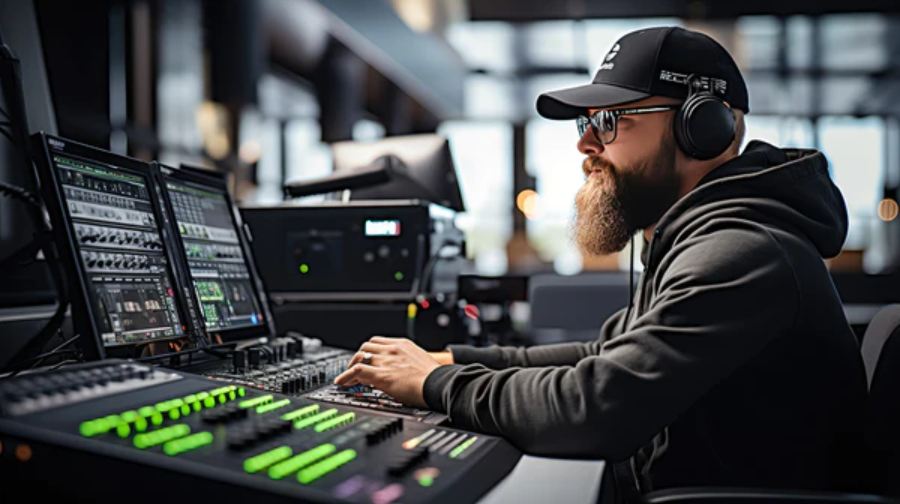
Connectivity and Technical Infrastructure
In an era of hybrid events, your digital infrastructure is just as important as your physical hardware. You must ensure that the digital backbone of your event is robust enough to handle high-traffic data and secure enough for sensitive corporate information.
Internet and Streaming
If your event includes remote speakers or a live-streamed audience, a dedicated hardwired internet connection is non-negotiable. Wi-Fi is often too unstable for high-definition video transmission and can fail when hundreds of guests connect simultaneously.
Switchers: Necessary for seamless transitions between different video sources, such as switching from a PowerPoint presentation to a live video feed.
Capture Cards: These devices allow you to send your high-quality camera feed into a computer for streaming platforms like Zoom or Webex.
Effective connectivity ensures that your remote participants feel just as involved as those present in the room. Always have a backup plan for internet access, such as a 4G or 5G bonded cellular router, to prevent any connectivity-related downtime.
Comprehensive AV Equipment Checklist Table
The following table serves as a quick reference guide for your next planning meeting to ensure every technical category is covered. Use this during your initial consultation with your provider to verify that all necessary components are included in your bespoke equipment package.
| Category | Item | Purpose |
| Audio | Wireless Lapel Mics | Hands-free presenting and movement |
| Audio | PA System / Speakers | Balanced sound distribution for guests |
| Audio | Digital Mixer | Managing multiple sound levels and inputs |
| Visual | 4K TVs / Screens | Displaying clear and sharp presentations |
| Visual | LED Video Wall | High-impact branding and video display |
| Visual | HDMI Switcher | Seamless transitions between video sources |
| Lighting | LED Stage Wash | Ensuring presenter visibility for guests |
| Lighting | Battery Uplights | Room ambience and corporate branding |
| Misc | Laptop / Clicker | Presentation control and slide advancement |
| Misc | Cabling and Tape | Safety, organization, and connectivity |
Why Professional AV Support Matters
It is tempting to rely on "in-house" venue equipment, but these systems are often aged or generic and lack the flexibility required for modern events. Engaging a dedicated av hire for events specialist ensures that you have the latest technology and, more importantly, an on-site technician to troubleshoot issues instantly. Professional support provides the peace of mind that comes from knowing experts are handling the technical complexities behind the scenes.
At Sublime Audio Visual, we focus on providing tailored solutions that align with your specific event goals and budget requirements. From the initial site visit to the final pack-down, our team ensures that every piece of equipment is calibrated for optimal performance. You can view our previous work by browsing our gallery to see how professional support elevates a corporate function. Our technicians stay on-site to manage the flow of the event, allowing your team to focus on guest networking.
Pre-Event Technical Rehearsals
Never start a corporate event without a full technical run-through involving all speakers and technicians. This should occur at least two hours before the doors open to allow time for adjustments. Rehearsals are the time to catch small errors before they become public mistakes that distract your audience from the main message.
Test all videos: Ensure the sound levels in the videos match the speaker's microphone volume and that there is no buffering.
Check the clicker range: Confirm the remote slide changer works from every corner of the stage and behind the lectern.
Verify aspect ratios: Ensure slides are not stretched or cropped on the main screens and that text is readable from the back.
This preparation phase is critical for building rapport between the speakers and the technical crew. When the presenter knows the technology is working perfectly, they can deliver their message with significantly more confidence and energy.
Conclusion
Planning the technical side of a corporate function does not have to be overwhelming if you use a systematic approach. By following a structured checklist and understanding the specific needs of your venue and audience, you can create a seamless professional environment. The right technology should fade into the background, acting as a silent partner that allows your content and speakers to take centre stage. Investing in quality equipment and expert personnel pays dividends in the form of attendee engagement and brand reputation.
If you are currently planning a function and require expert assistance, please contact us to discuss your requirements. Our team is ready to help you navigate the complexities of modern event technology to deliver a flawless experience. We pride ourselves on attention to detail and our commitment to making every Brisbane event a resounding success for our corporate clients.
Frequently Asked Questions
-
It is recommended to book your equipment at least 4 to 8 weeks in advance. For large-scale conferences or peak seasons in Brisbane, booking 3 to 6 months ahead ensures the best equipment and technician availability. Early booking also allows more time for venue site inspections and detailed technical plotting.
-
Yes, modern corporate events often require a mix of in-person and remote elements. Professional services include the cameras, encoders, and stable audio feeds necessary to bridge the gap between physical and virtual audiences. We ensure that your online viewers have a crystal-clear experience that mirrors the quality of the live room.
-
An on-site technician monitors audio levels in real-time, switches video sources, and manages any unforeseen technical glitches immediately. Their presence allows the event organiser to focus entirely on the guests and speakers without worrying about the equipment. They act as an insurance policy against technical failure during live segments.
-
While you can provide your own, it is often safer to use a dedicated show laptop provided by the AV team. This ensures the hardware is fully compatible with the switching system and is free from personal notifications or software updates. It also allows the technician to pre-load all content for seamless transitions.
-
You should provide the venue name, the number of attendees, the room layout, and the types of presentations involved. Details regarding the schedule and any specific branding requirements also help in creating an accurate and comprehensive quote. This information allows us to tailor the equipment list to your exact environmental needs